
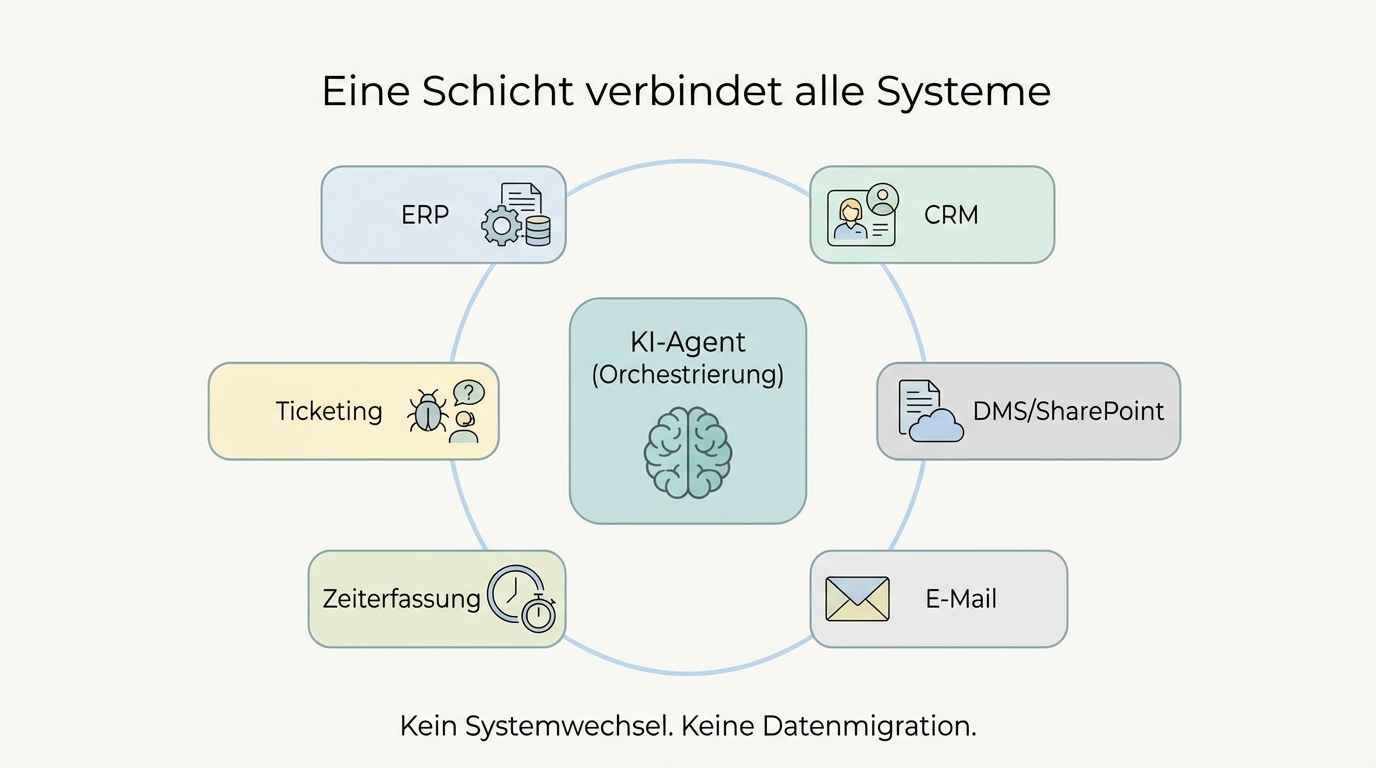
Most companies don't have one system but five to fifteen. ERP, CRM, document management, ticketing, email, time tracking. The systems have grown over years, are often poorly connected, and nobody has a complete overview. This is exactly the landscape AI now needs to fit into.
The good news: it doesn't require a migration, a system switch, or an infrastructure project. AI works with data where it already lives. All it needs is a layer on top that understands which system is relevant for which question.
Without connecting to your systems, AI remains a better text generator
Most AI tools operate in a bubble. They take text in and give text out. That's useful for emails and summaries, but it doesn't change business processes.
The real value only emerges when AI has access to your data: when it can not just draft a proposal but create it directly in the ERP. When it doesn't just summarise a tender but maps the relevant line items from your product catalogue. When it doesn't just answer a support ticket but updates the status in the CRM.
Without this integration, there's always a human between the AI and your business process -- copying, pasting, and reconciling. That's precisely the work you wanted to automate in the first place.
An orchestration layer connects what would never talk on its own
The solution is not to make each system AI-capable individually. Copilot can access Microsoft data, SAP Joule can access SAP data. But what happens when an AI agent for proposal creation needs data from the ERP, the CRM, the document management system, and time tracking simultaneously?
That's exactly what an orchestration layer does: software that sits between the language model and your systems. The language model decides what information it needs. The orchestration layer knows which system holds that information and how to retrieve it.
This works across systems. Not five separate AI silos for five systems, but one agent that can use all systems together. A manufacturing company automated its entire proposal chain this way: the AI reads tender documents, maps line items in the ERP, creates the proposal, and files it in the ticketing system. One end-to-end process across four systems that previously required manual back-and-forth between departments.
This is model-agnostic. The orchestration layer works with different language models: GPT, Claude, Gemini. If a better model becomes available tomorrow, you swap it out without touching the integration. In practice, a model switch takes one to two weeks, mainly for validating output quality.
Start read-only, expand to write access
A common misconception: AI integration means the AI immediately writes to your systems. That's not the first step.
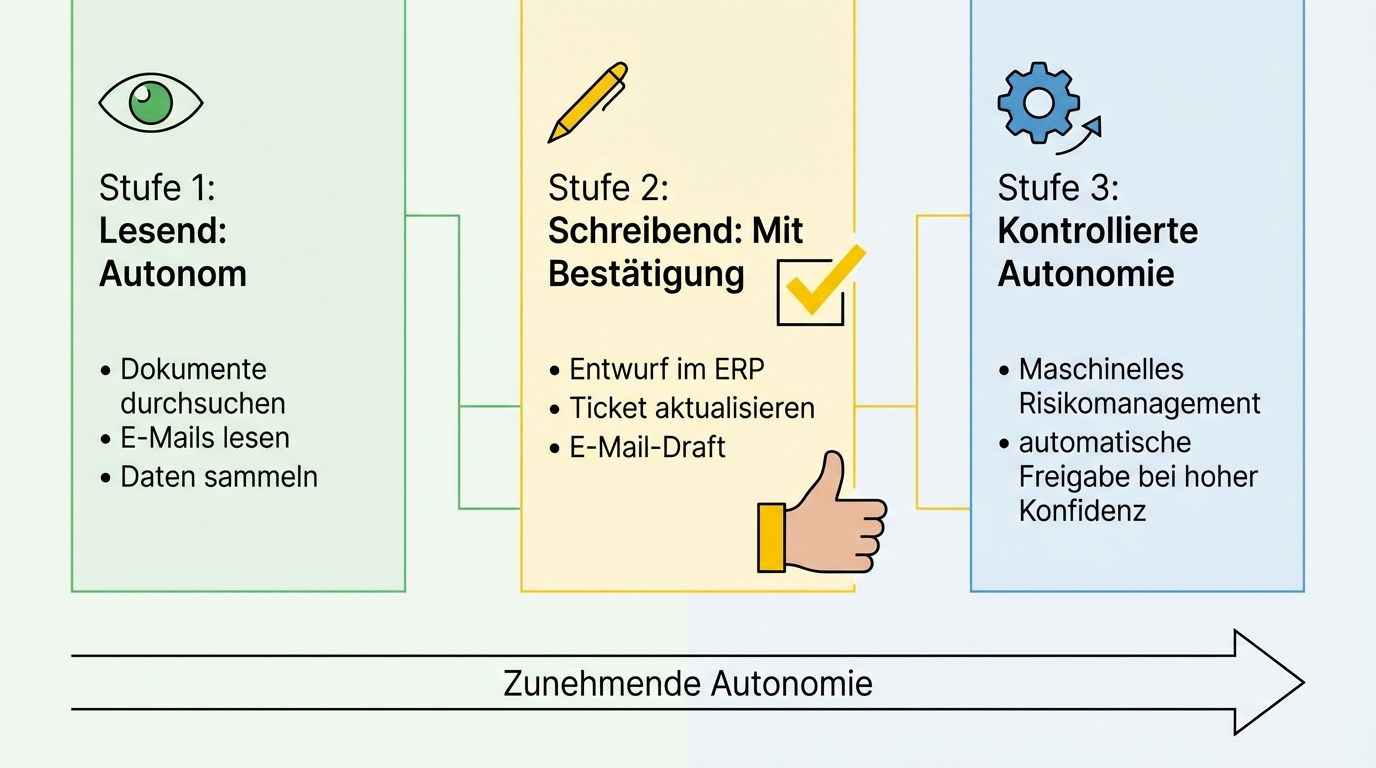
The entry point is read access. The AI searches your emails, documents, databases, and knowledge systems to compile information that a human would otherwise have to gather manually. That alone already has enormous value. One company gave its AI read access to two and a half months of email history. Manually researching across that time span would have taken days.
Write access comes after, incrementally and controlled. Creating a proposal draft in the ERP, updating a support ticket, preparing an email as a draft -- always with human confirmation before anything goes external. Irreversible actions (creating folders, deleting data, triggering orders) stay with the human as a matter of principle.
As trust grows, autonomy can increase. For recurring, low-risk actions, an automated risk management layer can be built that approves actions when the result is correct with high confidence. This is not uncontrolled autonomy but a stepwise expansion based on measurable quality.
Three paths when a system won't open up
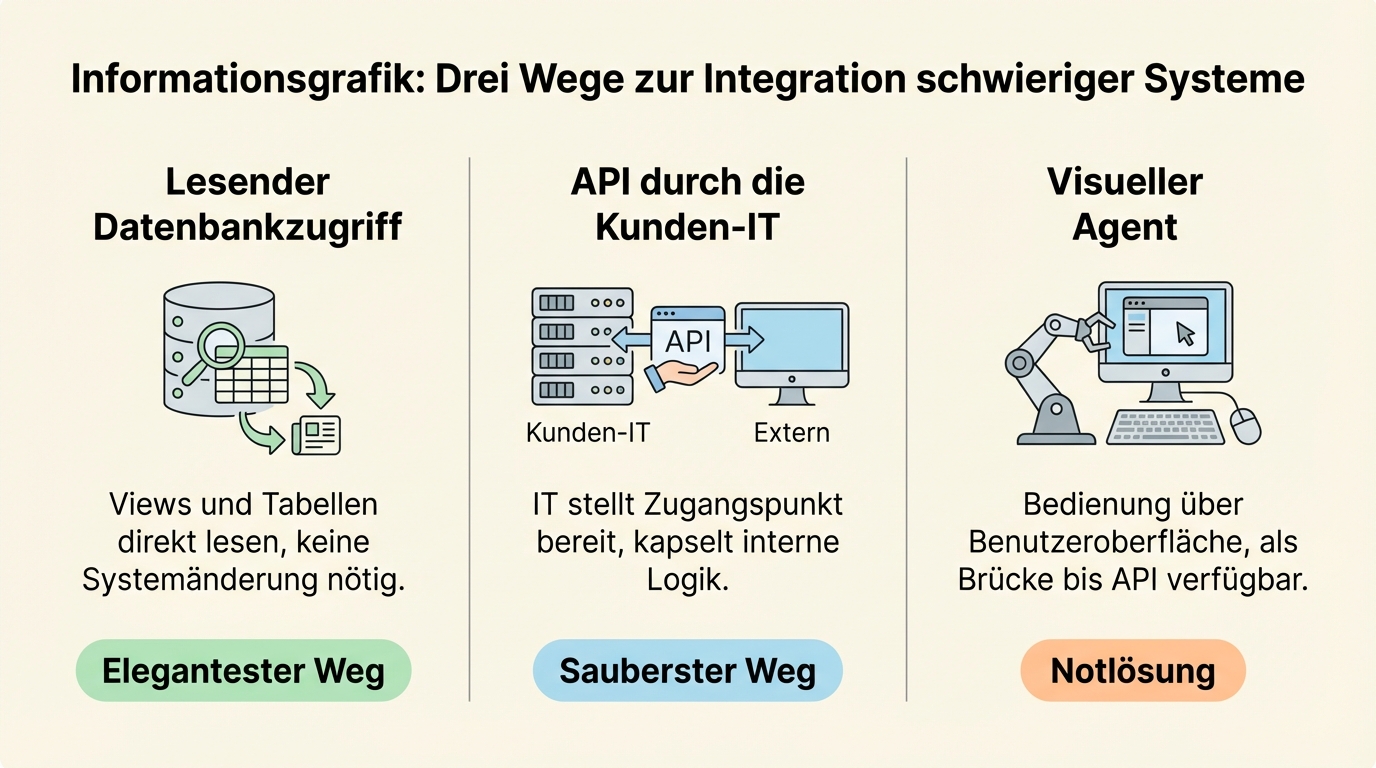
The honest truth: some ERP systems were not built to be accessed from outside. The logic is inverted, processes are triggered internally, interfaces are poorly documented or missing entirely. In such cases there's still always a way:
Read-only database access. Many systems compute results internally and store them in views or tables that can be read directly. This is sufficient for most analytical purposes and requires no changes to the system itself.
API provided by the client's IT. The internal IT team exposes an access point that encapsulates the internal logic. This is the cleanest path: IT controls what's accessible, and we use the provided access for the AI integration.
Visual agent as a last resort. When neither database access nor an API is possible, an agent can operate the system through the user interface, just as a human would. It's not elegant and not fast, but it works as a bridge until a better interface becomes available.
In practice, the problem is more often organisational than technical. The technical capability almost always exists. What's sometimes missing is the IT department's willingness to grant access. A concrete use case with measurable value is the best argument to open that door.
You don't have to wait for the next ERP update
The most common delay in AI projects: "We're in the middle of an ERP migration, let's start afterwards." That sounds reasonable but often pushes the start back by one to two years.
The orchestration layer makes this unnecessary. It works with the current state of your systems. If an SAP rollout is running in parallel, the AI starts with the existing systems anyway. When the new system goes live, only the interface changes. The AI logic, the prompts, the workflows stay the same.
Companies report that exactly the opposite happens: the AI initiative accelerates digitalisation. Because the AI use case demands concrete data access, blockers that have existed for years get resolved. Not because someone launched a digitalisation project, but because a concrete benefit justifies the effort.
First results in hours, without touching your system
Getting started doesn't require system integration. We begin with sample data: ten tenders, twenty invoices, an export from the CRM. From that, a working first version emerges in a few hours, showing what AI can do with your real data.
Only then do we connect the live systems, incrementally, system by system. The difficulty varies considerably: some systems (Confluence, Jira) can be connected in a few hours. Others (SharePoint, specialised HR systems) take more effort. Legacy ERP systems with poor documentation are the hardest, but even there, paths exist.
Parallel operation alongside the existing process is a given throughout. No system switch, no big bang. The AI works alongside your existing workflows. If it works, you use it. If not, you continue as before. The previous process remains available as a fallback at every step.
How we approach this is described on our page on AI integration for ERP, CRM and DMS.
The next step
In an initial conversation we clarify: which systems are in use? Where does information flow manually between systems? Which process has the highest leverage? Afterwards you'll know whether and how AI integration works in your system landscape.
No migration, no infrastructure project, no upfront investment in new systems. Just a concrete plan that works with your current state.